gump
  • Explore
  • Super SearchNew
  • Gumpilote
  • Script Studio
  • Auto Editing
  • MCP
BlogUGC
UGC

UGC videos: how to write and shoot one that sells

What makes a UGC video convert on TikTok and Reels: script structure, hooks that work for a product, how to bring in the product without losing viewers, and how to shoot on a phone.

Gump team

Updated October 26, 2026 · 8 min read

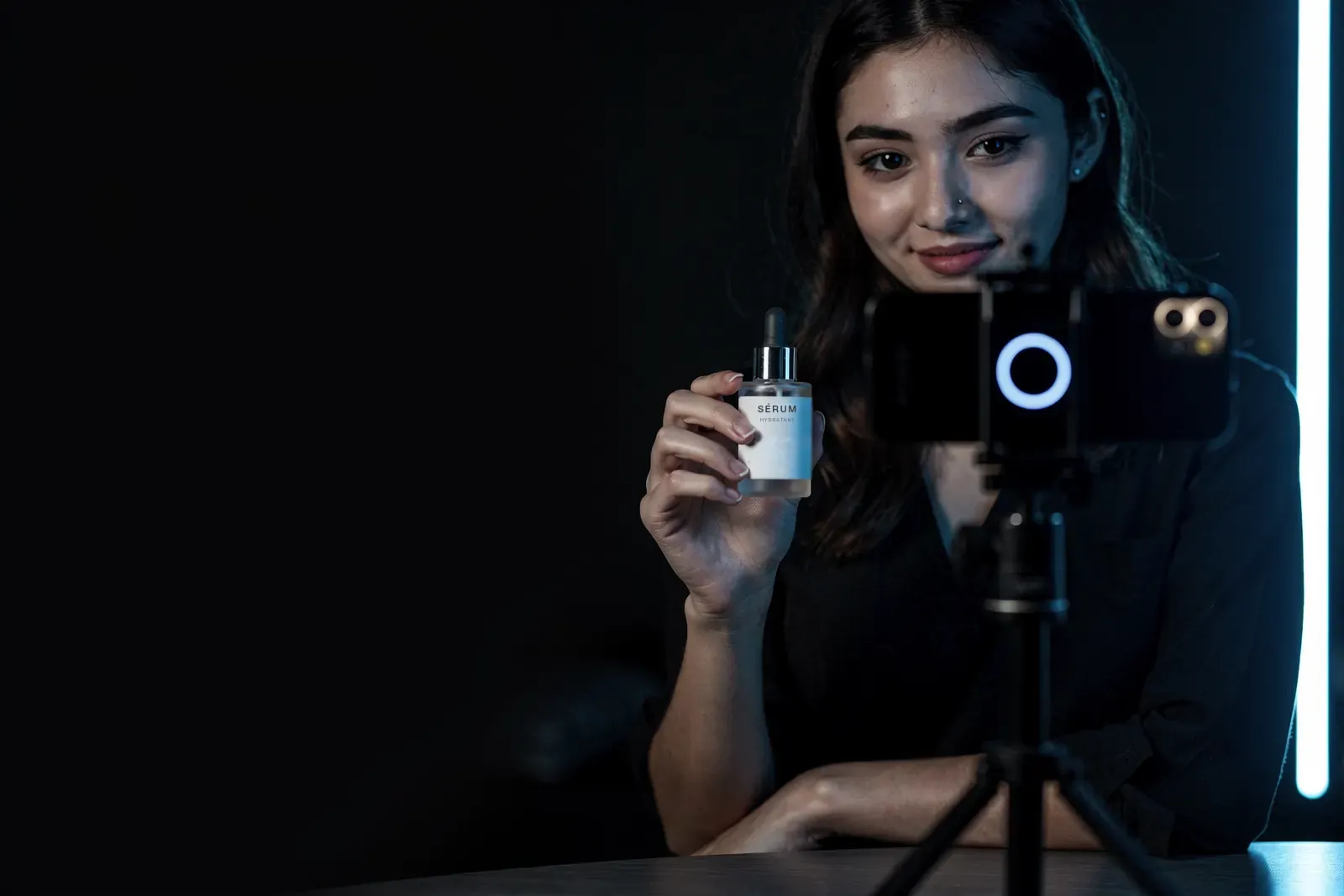
A creator films a product video with her phone on a tripod

Contents

0 %
  1. The structure of a UGC video that sells
  2. Hooks that work for a product
  3. Bringing in the product without losing the viewer
  4. Shooting UGC on a phone
  5. Finding what already sells in your niche
Contents· 5 sections
  1. 01The structure of a UGC video that sells
  2. 02Hooks that work for a product
  3. 03Bringing in the product without losing the viewer
  4. 04Shooting UGC on a phone
  5. 05Finding what already sells in your niche

UGC, or user-generated content, is a video that looks like it was made by a real customer rather than a brand: shot on a phone, in a real place, by someone who talks like the viewer. On TikTok and Reels, it often sells better than a polished ad, because it doesn't look like one.

Looking natural doesn't mean improvising. The UGC videos that convert follow a precise structure. Here it is, step by step.

The structure of a UGC video that sells

  • The hook (first 2 seconds): a problem, a result or a warning. “I didn't think this would work on my skin.”
  • The problem: the situation the viewer lives, in their own words. They should recognize themselves.
  • The product: brought in as the answer to that problem, not as an ad.
  • The proof: the product in use, on screen. A result, a texture, a before / after, a detail you only see up close.
  • The call to action: one simple step. “Link in bio,” “I'm putting the code in the comments.”

That flow is the structure of the video: keep each step short, and finish on a CTA that asks for just one action.

Hooks that work for a product

  • “Don't buy [product] before you see this.”
  • “I tested the viral [product] so you don't have to.”
  • “This [product] fixed my [problem] in [duration].”
  • “The [price] [product] that replaced my [expensive product].”
  • “The purchases that were really worth it.”

These are templates, not lines to copy: fill them with your product and a promise the video keeps. Super Search shows you more hooks that worked in your product category.

Bringing in the product without losing the viewer

The moment the product appears is where most UGC videos lose people. Viewers feel the ad coming and scroll. The videos that keep them use a transition: a line that naturally links the problem to the product (“so I looked for something that…”, “a friend told me to try…”). That transition is the heart of product integration: without it, the product arrives like an ad.

Shooting UGC on a phone

  • Film vertically, with the rear camera if you can: the image is better.
  • Face a window: daylight is the best free light.
  • Bring the product close to the lens for details.
  • Shoot short takes, one idea each. They're easier to edit and fix.
  • Talk like you would to a friend. No text read off the screen.
  • Add captions: many people watch without sound.

Finding what already sells in your niche

The fastest way to write a good UGC video is to start from one that already worked. Super Search finds the viral videos in your product category, with their hook, format and structure. Script Studio then rewrites the script for your product, and editing turns your takes into a finished video, captions and b-rolls included.

A real place, real words, a clear structure: UGC looks spontaneous because it's well prepared.

Try the tools

Find the viral videos of your niche and turn them into your own script.

Super SearchScript Studio

Try the tools

Find the viral videos of your niche and turn them into your own script.

Super SearchThe viral videos of your nicheScript StudioYour script, from a video

Read next

An agency desk at dusk: two laptops closed side by side, a wall of printed charts and sticky notes, a phone on a small tripod and a mug of teaReviews
November 19, 202611 min

Virlo review 2026: pros, cons and verdict

Virlo review 2026: what it does well, its limits, the price, and when to switch to Gump.

Read the article
A creator's desk by a window in the morning: a phone face down, a notebook of handwritten hook ideas, sticky notes on the wall, a ring light switched off and a cup of coffeeReviews
November 18, 202610 min

Sandcastles review 2026: pros, cons and verdict

Sandcastles review 2026: what it does well, its limits, the price, and when to switch to Gump.

Read the article
A UGC team's wooden desk in a dim room lit by a blue light: a phone on a small tripod, a calculator, an open notebook of handwritten notes, a coffee cup and a stack of blank pagesPricing
November 17, 20269 min

LightReel pricing 2026: plans, credits and real cost

LightReel pricing 2026: the plans, credits, trial, real cost, and what you do not buy at that price.

Read the article
A marketer's desk at dusk under a lamp: a phone on a wooden stand, an open notebook of hand-drawn sketches, a mug, and photos of people pinned on a cork boardReviews
November 15, 20269 min

LightReel review 2026: pros, cons and verdict

LightReel review 2026: what it does well, its limits, the price, and when to switch to Gump.

Read the article
gump

Spot trends first.
Sell more before
everyone else.

Product

  • Super Search
  • Pricing

Resources

  • MCP
  • Blog
  • FAQ
  • Contact

Tools

  • TikTok transcript
  • TikTok comment generator

Legal

  • Terms
  • Terms of Sale
  • Privacy
  • Cookies
  • Legal Notice

© 2026 Mountains Studio LLC. All rights reserved.

Made for creators who move first.